💨 Windscribe VPN 🛡️
A privacy-first VPN with Android TV / Fire TV apps, R.O.B.E.R.T. blocking, split tunneling, strong protocols, and a generous free tier.
🌐 Official Site🚀 Sign up with Ryan's link
🤔 Why do you need a VPN?
🕵️ Hide your traffic from your ISP
Without a VPN, your ISP can see the services and domains you connect to. A VPN encrypts the tunnel between your device and the VPN provider, which helps prevent ISP monitoring and casual traffic inspection.
🚫 Reduce throttling
Some ISPs deprioritize or throttle streaming/video traffic. A VPN can make traffic look like generic encrypted data, which may help avoid service-specific throttling.
🌍 Geo-flexibility
A VPN lets you choose an exit region. This can help when traveling, testing services, or using apps that behave differently by country.
🔐 Safer public Wi-Fi
On hotel, airport, coffee shop, and shared Wi-Fi networks, a VPN adds encryption between your device and the VPN server.
📺 Streaming privacy
For IPTV, Kodi add-ons, SmartTube, and other streaming apps, a VPN is a privacy layer that keeps your provider and local network from seeing everything in plain view.
💨 Why Windscribe is a good choice
🌐 Large network
Windscribe advertises servers in 130+ locations across many countries, giving you plenty of exit-region options for streaming and privacy.
🧱 R.O.B.E.R.T.
Windscribe includes R.O.B.E.R.T., a customizable DNS-level blocker for ads, trackers, malware, gambling, adult content, crypto miners, fake news, clickbait, and more.
🧩 Split tunneling
Choose which apps use the VPN tunnel and which apps bypass it. This is useful on streaming boxes when one app needs the VPN but another app performs better without it.
🔥 Apps for TV devices
Windscribe supports Android TV and Fire TV devices. Shield can use Google Play Store; FireStick uses the Amazon Appstore, not Google Play.
🛑 Firewall / kill switch
Windscribe desktop apps include a firewall-style kill switch. On Android TV / Fire TV, use Always-on VPN and block connections without VPN when available.
🔒 Strong protocols
Windscribe supports modern VPN protocols including WireGuard, IKEv2, OpenVPN, and Stealth/WStunnel-style modes for difficult networks.
🧪 Free tier available
Windscribe is famous for having a useful free tier, so you can test speeds, routing, and app compatibility before committing to Pro.
👨👩👧 Multi-device friendly
Windscribe accounts can be used across common platforms — Windows, macOS, Linux, iOS, Android, Android TV, Fire TV, and browser extensions.
🟢 Install Windscribe on NVIDIA Shield from Google Play Store
Shield runs Android TV, so the Google Play Store method is the correct official path.
From the NVIDIA Shield home screen, open the Google Play Store app.
Select the search icon and type "Windscribe VPN". Choose the official Windscribe app by Windscribe Limited.
Select Install. The app downloads and installs directly from Google Play — no sideloading required.
Launch Windscribe from the Play Store page or from the Shield app drawer.
Sign in with your Windscribe account. If you are signing up, use the signup link on this page: https://windscribe.com/yo/w5m2hx6u
Choose a VPN location close to you for speed, or a specific country/region for geo-testing.
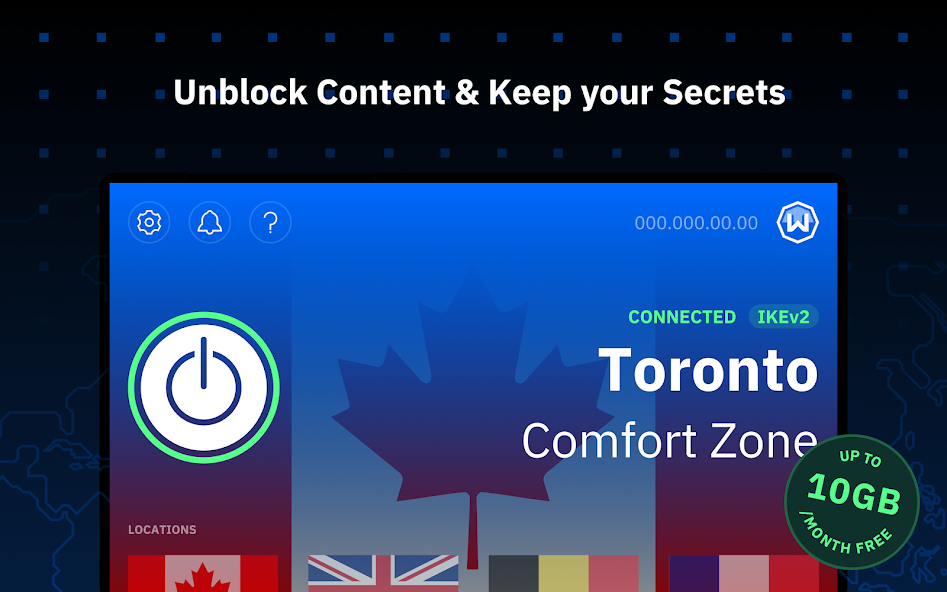
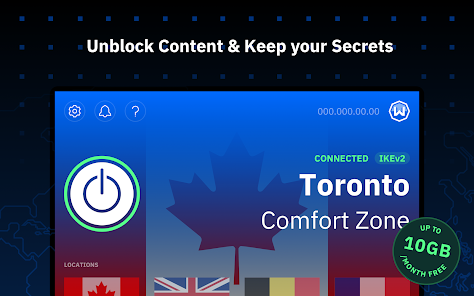
Press the large power button in Windscribe to connect. Confirm Android VPN permissions when prompted.
If you only want IPTV/Kodi/streaming apps through the VPN, enable split tunneling and select which apps should use the VPN tunnel.
Open a browser or IP-check app on the Shield and confirm your public IP/location changed before streaming.
🔥 Install Windscribe on Amazon FireStick 4K
FireStick 4K uses Fire OS and the Amazon Appstore — it does not include Google Play Store. Use the Amazon Appstore method below.
Amazon FireStick 4K does not include the Google Play Store. The correct official install path is the Amazon Appstore. If an article says "Google Play on FireStick," treat that as Android TV guidance — not Fire OS guidance.
From the FireStick home screen, select Find/Search and type "Windscribe".
Choose the official Windscribe VPN app from the Amazon Appstore results.
Select Download, Get, or Install depending on your Fire OS interface. Wait for installation to finish.
Launch Windscribe from the install screen or from Apps & Channels.
Sign in with your Windscribe account. If you need an account, use: https://windscribe.com/yo/w5m2hx6u
Choose the fastest nearby server for normal streaming, or select a specific region when needed.
Press the power/connect button and allow the Fire TV VPN connection prompt.
If the Amazon Appstore listing is unavailable in your region, download the official Android APK from Windscribe's download page using Downloader, then install it after enabling Install Unknown Apps for Downloader.
Use a browser/IP-check tool or Windscribe status screen to confirm the FireStick is connected before opening IPTV, Kodi, or streaming apps.
🎯 Best practices for streaming
✅ Use nearby servers for the best IPTV and Kodi streaming performance.
✅ Enable split tunneling when only some apps need the VPN.
✅ Use Windscribe R.O.B.E.R.T. to block malware, trackers, ads, and risky domains.
✅ Test multiple locations if one streaming service buffers or blocks access.
✅ Turn on Android/Fire TV VPN protection before opening IPTV provider apps.
⚠️ Reality check
A VPN is not magic anonymity. It is an encrypted tunnel to a VPN provider. You still need good account hygiene, private DNS, safe apps, and common sense.
For streaming, the goal is simple: prevent ISP monitoring/throttling, avoid leaking your real IP, and keep IPTV/Kodi traffic inside the VPN tunnel.
🖼️ Reference Screenshots
Copied locally from the referenced source article: Windscribe reference screenshots. These are stored in the repo so the guide does not depend on remote images disappearing.